How Does Https Work
🚨 I'm looking for someone to join me in writing about system design on my newsletter regularly. I can offer you good compensation per article. Let me know if interested by replying to this e-mail. (Also include one article you’ve written.) Get my system design playbook for FREE on newsletter signup: This post outlines how HTTPS works. You will find references at the bottom of this page if you want to go deeper.
Once upon a time, the internet was a quiet place with only a tiny number of servers. And the users communicated with servers by sending and receiving files. They shared files through File Transfer Protocol (FTP), email attachments, and floppy disks.
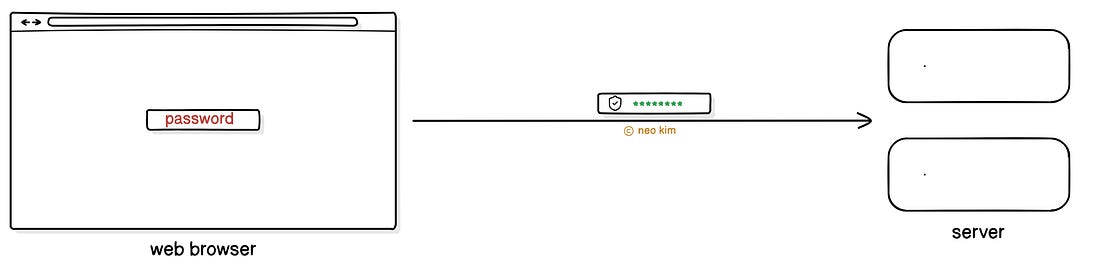
Yet it became difficult to transfer information in a simple and standardized way. So they created the Hypertext Transfer Protocol (HTTP). Think of HTTP as a set of rules for transferring information on the Internet. Although it temporarily solved the data transfer problem, there were new issues. Here are some of them: 1. Privacy and IntegrityHTTP sends data in plaintext without encryption. It means someone on the public network can easily access or change the information. So it’s insecure. 2. AuthenticationHTTP doesn’t support a mechanism to check if the server is the right one. It means someone else could pretend to be the server and steal the user's data. So it became difficult to transfer sensitive information, such as passwords or credit card numbers. Onward. Ship faster, with context-aware AI that speaks your language - SponsorAugment Code is the only AI coding agent built for real engineering teams. It understands your codebase—across 10M+ lines, 10k+ files, and every repo in your stack—so it can actually help: writing functions, fixing CI issues, triaging incidents, and reviewing PRs. How Does HTTPS WorkLet’s dive in! They wanted a secure version of HTTP. So they created Hypertext Transfer Protocol Security (HTTPS).
Imagine HTTPS as HTTP running over an extra protocol to keep information secure. The extra protocol is called Transport Layer Security (TLS). Think of TLS as a mechanism to encrypt data sent between the client and server. TLS creates a secure connection using a process called the TLS handshake. It's used to establish an HTTPS connection when a user visits a site. Here’s how it works:
The browser sends a message to the server. It includes the list of supported cryptographic algorithms, TLS versions. And also a randomly generated string called client random.
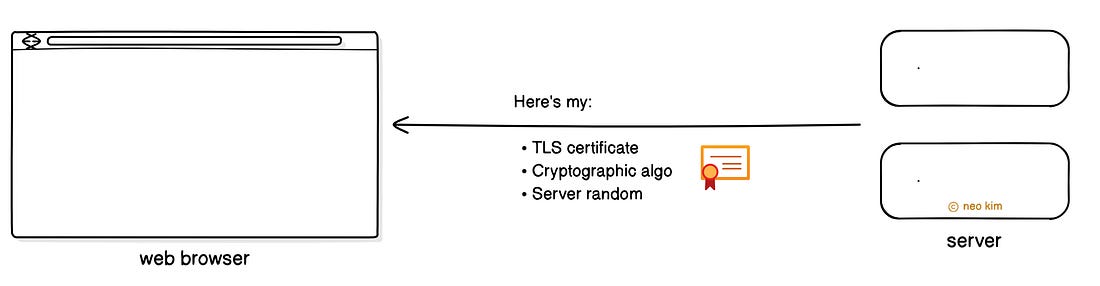
The server then responds with its TLS certificate and supported cryptographic algorithm. Besides it includes a randomly generated string called server random. Yet it’s important to confirm the server identity for authenticity. So the browser verifies the received TLS certificate with the certificate authority. Imagine the certificate authority as a trusted organization that verifies server identity. But both client and server must have the same key to encrypt session data efficiently.
So the browser sends a temporary key (pre-master secret) to the server. While it’s encrypted using the server’s public key, which was taken from the TLS certificate. Yet only the private key can decrypt the data that was encrypted using a public key. So the server decrypts the received pre-master secret using its private key. Thus making this data transfer secure. Think of the public key as an email address; anybody can send messages to it. While the private key is like the inbox password, only the user with the password can read emails. And the best part?
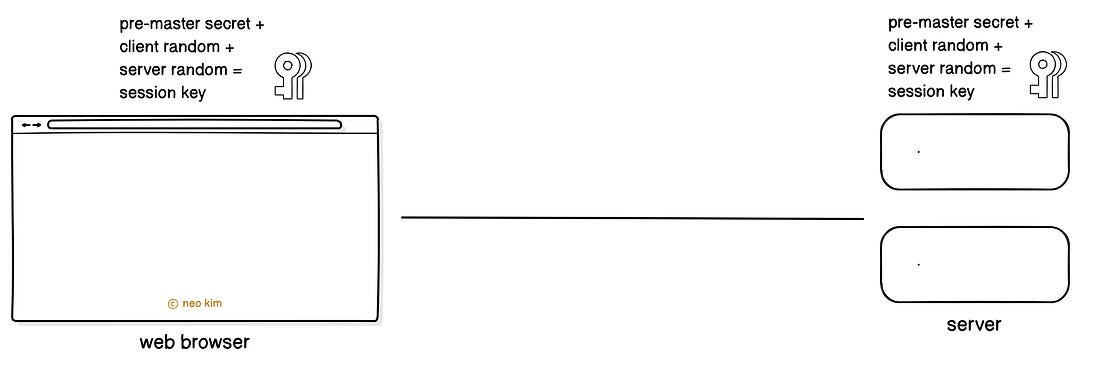
Both browser and server use the pre-master secret, server random, and client random to compute the same session key. Think of the session key as a symmetric cryptographic key that can encrypt and decrypt data. It’s valid either for a set period or for as long as communication is ongoing. All future communication then gets encrypted using the session key. It means nobody can see the messages on the public network. Yet it’s necessary to check if the TLS handshake was successful. So the browser sends a finished message, which is encrypted using the session key. The server then responds with a finished message, encrypted using the session key. This marks the completion of a TLS handshake. Put simply, the TLS certificate handles authentication, while the TLS protocol handles encryption. Thus providing authenticity, confidentiality, and integrity in data transfer. HTTP is rarely used on public networks now. Yet it's still in use on internal networks and legacy systems where data sensitivity is low. Because it offers convenience with simplicity. While HTTPS has become the fundamental communication protocol of the internet. And search engines like Google give preference to HTTPS-enabled sites in their search results. Besides HTTPS is necessary for compliance in transferring sensitive information: financial data. But there’s an overhead with the setup and maintenance of a TLS certificate. Also HTTPS can be slightly slower than HTTP because of encryption overhead. Yet HTTP/2 and HTTP/3 offset this overhead with better performance. So always use HTTPS on public sites because of its security and trust advantages. Subscribe to get simplified case studies delivered straight to your inbox: Neo’s recommendation 🚀 ByteSizedBets delivers bite-sized deep dives on emerging devtools, career growth, and smart bets for builders. Want to advertise in this newsletter? 📰 If your company wants to reach a 165K+ tech audience, advertise with me. Thank you for supporting this newsletter. You are now 165,001+ readers strong, very close to 166k. Let’s try to get 166k readers by 15 August. Consider sharing this post with your friends and get rewards. Y’all are the best.
TL;DR 🕰️ You can find a summary of this article here. Consider a repost if you find it helpful. References
Share this post & I'll send you some rewards for the referrals.
|